Project Settings
Categories, genres, areas, project statuses, creation settings, project roles and print layouts
The project settings live under System → Projects (permission Define system settings for projects) and are organized into tabs: Project settings (master data & creation toggles), Artist residencies, Project role settings, Tab settings, Component settings, Print layout settings, Project overview builder and BI settings. The biggest lever — the tabs & components of the project view — has its own page; this one covers master data and toggles.
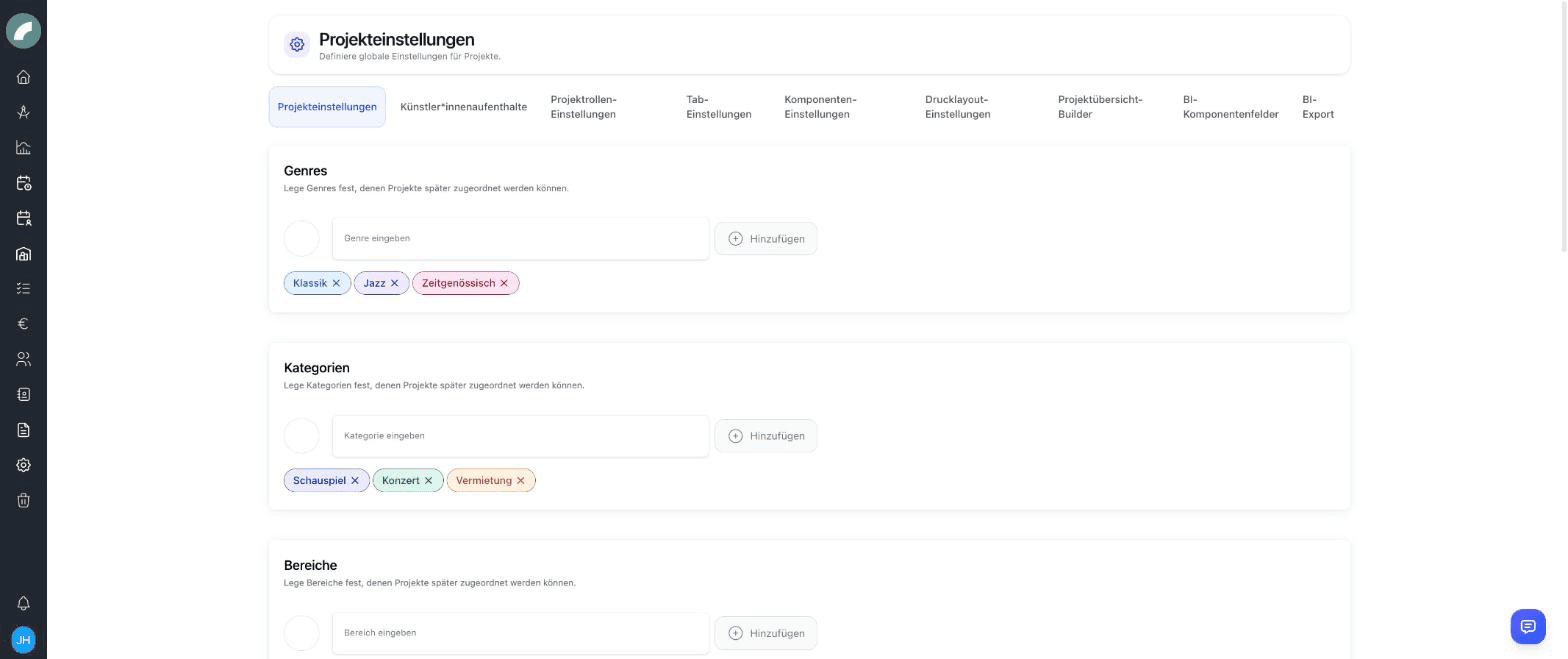
Settings map
| Settings area | What changes for users |
|---|---|
| Project settings | Selection values, statuses, and fields offered during project creation |
| Artist residencies | Additional stay and CRM information that can be recorded |
| Project roles | Functions available for assignment in the project team |
| Tab and component settings | Structure, order, visibility, and editing access in the project view |
| Print layouts | Project content and arrangement available in PDF output |
| Project overview builder | Columns and information blocks in the central project list |
| BI settings | Additional figures, fields, and reporting structure |
These are central changes. After adjusting them, test one existing and one new project from a regular user's perspective.
Properties: categories, genres, areas
Three freely definable attribute lists used to describe and filter projects:
- Categories (e.g. drama, concert, rental)
- Genres (e.g. classical, jazz, new drama)
- Areas (e.g. in-house production, guest performance, education)
Projects can carry several values per list; one of each can be marked as the main category/genre/area. The display option Event color by main category uses this in the calendar.
Project statuses
Freely definable statuses with a color (e.g. idea, in planning,
confirmed, cancelled). A status can be marked as a planning status
(is_planning): events of projects in this status are treated in the
calendar like planned events.
Project creation settings
These toggles determine which fields the creation window offers — keeping it as lean as your process allows:
| Toggle | Field in the creation window |
|---|---|
| Project properties | Category / genre / area |
| Project status | Status selection |
| Project management | Project management selection |
| Cost center | Cost center name |
| Budget deadline | Deadline date field |
| Artists | Artists field |
Project roles
Project roles (e.g. direction, dramaturgy, production management) are defined in the Project role settings tab and assigned in the project team. Each user can have default project roles in their profile, which are preselected when they are added to a team.
Other project-related master data
The same page also maintains contract types, company forms and currencies (for the contract module); there are additionally separate settings pages for artist residencies and the budget settings.
Project overview builder
The project overview builder determines which columns and contents the project list displays — so the overview, too, can be adapted to your venue.
Print layouts
Print layout settings define what the project PDF looks like: you assemble a layout from the printable components of the project view (title, base data, texts, properties …); when printing from the project header, users then pick one of the layouts. This way there can be, for example, an internal info sheet and a rental exposé from the same project data.
The order and colours of project statuses should be easy to understand in both the overview and calendar. A planning status is functional, not merely visual: it affects whether related events are treated as provisional and who can see them.
The overview builder is arranged by drag and drop. Typical contents include period, status, artists, properties, management, group, and BI figures. The layout is central, while each user's filters and sorting remain personal.
Print layouts can include headings, custom text, base data, period, status, team, properties, shift and budget information, document lists, and other printable components. The PDF always uses current project data.
Artist residencies and BI settings
Residency settings define which project-related stay and travel details are recorded, such as arrival, departure, accommodation, purpose, and custom fields. Entries appear in the project component and can be exported. The user workflow is covered in Documents, contracts & additional project data.
BI settings extend the standard areas for audience and revenue, production data, room capacity, derived values, time effort, and snapshots with fields required by your venue. Their day-to-day use is covered in Business intelligence in a project.
Deleted settings
Central settings may still be referenced by existing projects. Deleted entries therefore have their own trash, from which they can be restored or removed permanently. Check current use before permanent deletion.